Chat, projects, and research
Keep conversations and project context together while you explore and build.
 agi
Open web workspace
The full B1Xagi workspace in its own desktop window. Think, create, compare, and work with local AI in one place—then connect to your cloud workspace when you choose.
Windows 10/11 · x64 · Local conversation without sign-in
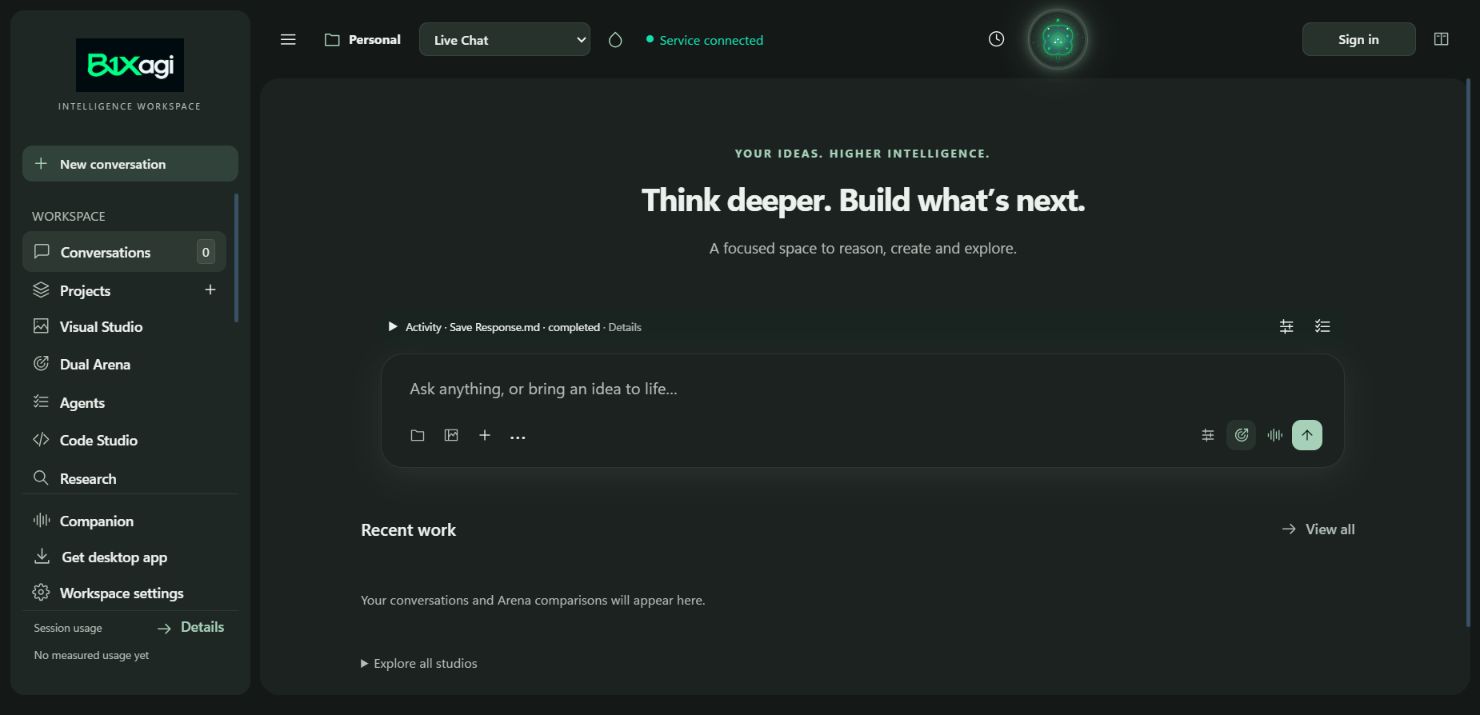
Use B1Xagi instantly in your browser or install the full workspace on Windows. The online and offline installers provide the same desktop features; they only differ in how setup obtains the local model and speech files.
Keep conversations and project context together while you explore and build.
Switch between visual and code work, then compare model perspectives side by side.
See live activity and open the companion's voice and task controls. Audio access stays your choice.
Bring research and working files into one interface; connected capabilities depend on access.
After setup, converse with the installed model and use local speech without signing in.
Opt in to selected folders and computer actions separately; installation grants no access by itself.
Installer versions below identify published packages independently of this web workspace. The Lite launcher opens the hosted workspace on lower-spec PCs. Device permissions remain separate.
A tiny launcher for the online workspace. No local AI models or background Python service.
Recommended below 8 GB RAM or when storage is limited. Uses the hosted release; cloud account and plan limits apply. Native device control is not included.
A smaller first download. Guided setup then fetches and verifies the local AI runtime, model, and speech files.
The installer updates the desktop workspace while retaining your user data. Local AI setup follows installation.
The workspace, local model and speech runtime in one package. Full installer downloads are currently disabled; Desktop Lite is available online.
Build checksum pendingCloud features still require sign-in and a connection. Local model quality and speed depend on your PC. No installer grants folder, microphone, camera, or computer-control access by itself.
Android: open the web workspace in Chrome and choose Install app, or use the privately installed testing APK. iPhone: use Safari → Share → Add to Home Screen. Browser permissions remain yours.
Open mobile web workspace · Flutter mobile workspace … (APK) · Android test files & suite (ZIP) · APK & test verification details
The optimized Flutter APK is signed with the Android test key and bundles the complete responsive web workspace, fonts, editors and viewers. Generation and account services require a connection. Device acceptance is recorded in the verification details. Test suite files (workspace_test.dart, native_files_test.dart, widget_test.dart) are included for automated device validation.
Open B1Xagi from Start after setup. Keep conversations and settings in your Windows profile while app files can be updated or repaired separately.
Explore the web workspaceWindows 10 or 11, x64. Microsoft Edge provides the dedicated app window.
At least 7 GB free for setup, plus space for your projects and conversations.
Pairing, folders, microphone, camera, and reviewed computer control are separate choices.
Web version … · Packages published separately for testing · Signing pending. SHA-256 checksums identify these exact test installers; signed releases will have different checksums.
Build checksum pendingBuild checksum pending